Project Journey: Music Player
1. The Idea
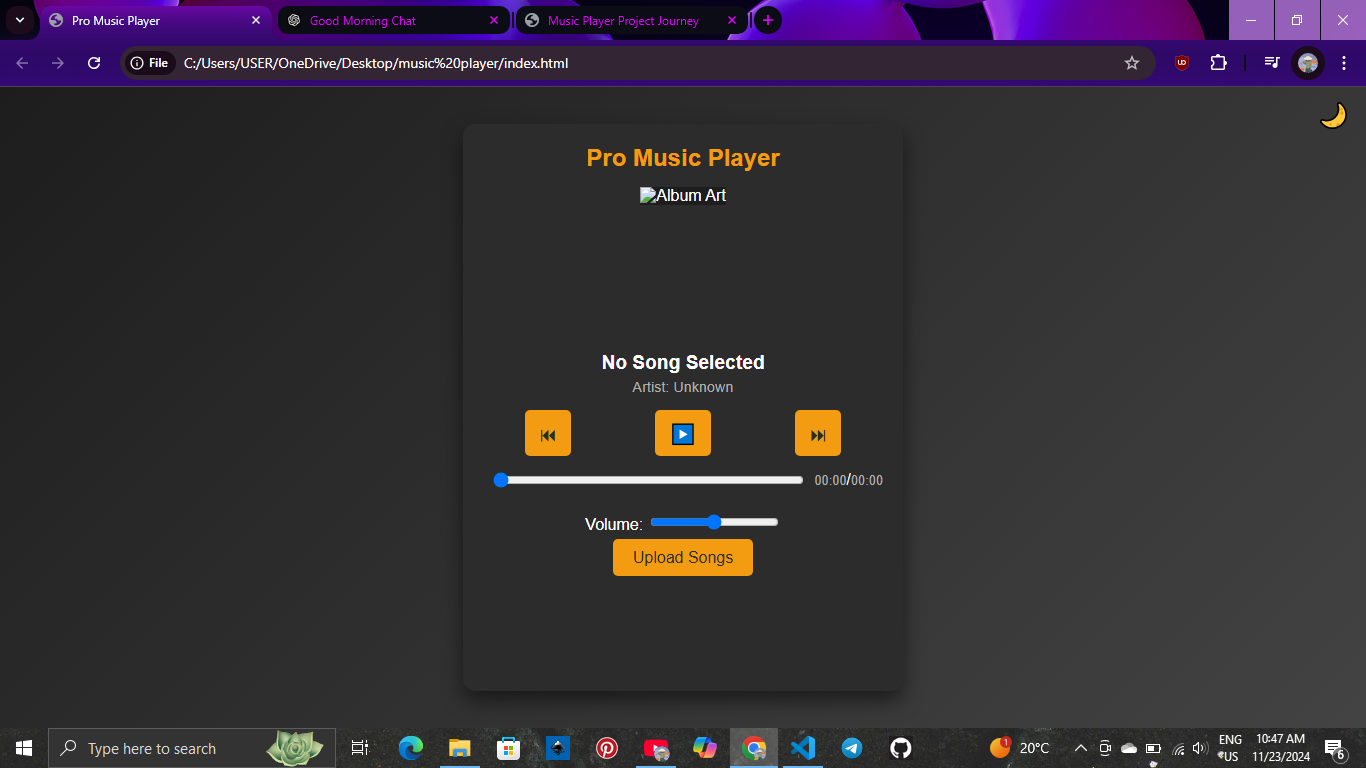
The initial idea for this project was to create a custom music player that allows users to upload and play audio files directly from their computer. I aimed to combine my passion for frontend development with a practical, interactive application. The goal was to provide a simple, responsive music player with features like play/pause, volume control, and a dynamic playlist.
.png)
2. The Design Process
The design was initially focused on a clean and minimalistic user interface with a dark mode theme. I used HTML for the structure, CSS for styling, and JavaScript for the interactive elements. My goal was to make the player intuitive, so I focused on user-friendly controls like play/pause buttons and volume sliders.
Example:
 <button id="play-btn">Play</button>
.png)
3. The Challenges
One of the major challenges I faced was handling file uploads. Initially, the player had trouble reading and playing the audio files. Using the FileReader API, I was able to ensure the player could load and play local files correctly. Another challenge was implementing localStorage to preserve the playlist even after a page refresh, which required working with JavaScript to save and load the playlist data.
Example:
 localStorage.setItem('playlist', JSON.stringify(playlist));
4. Benefits and Outcome
Completing this project not only gave me a valuable addition to my portfolio but also taught me new skills. I gained hands-on experience working with JavaScript for file handling, implementing the Web Audio API, and storing data with localStorage. The end result is a fully functional, aesthetically pleasing music player that allows users to interact with their personal music library seamlessly.
5. Conclusion
This project helped me grow as a developer by pushing me to solve real-world problems, from working with browser APIs to creating a smooth and interactive user interface. I'm proud of the final product, and it showcases my ability to turn an idea into a fully developed application.
.png )